
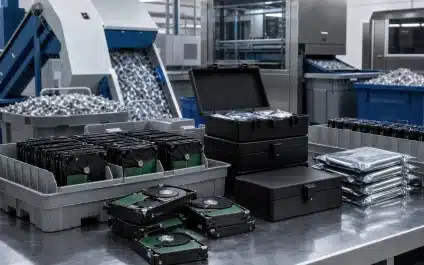
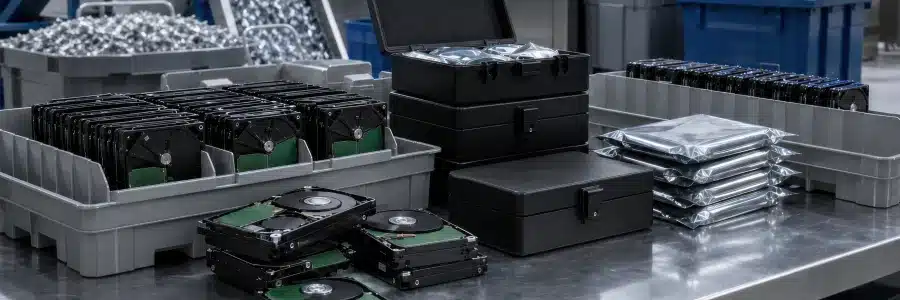
The enterprise data destruction process is the secure, documented method of permanently wiping or physically shredding digital media to prevent unauthorized access. When a company upgrades its laptops or servers, running a basic factory reset does not remove the information safely. Without a formal, strictly managed IT asset disposition (ITAD) program, existing data remains vulnerable to extraction, leaving the organization vulnerable to data breaches and compliance violations.
Key Takeaways
|
What are the risks of incomplete data erasure?
Incomplete data erasure exposes your company to data breaches, corporate espionage, and regulatory fines. Deleting files or factory resetting devices leaves confidential information fully intact and vulnerable to extraction using basic recovery software. Cybercriminals actively hunt for improperly discarded digital storage devices to harvest customer data and proprietary intellectual property.
The consequences of a single leak stretch far beyond negative press coverage. Regulated industries face intense scrutiny from federal watchdogs. For example, the healthcare industry must adhere to HIPAA data disposal rules to safeguard patient details, while financial institutions must follow strict privacy laws to protect consumer credit reports.
Failing to destroy important data inevitably leads to substantial fines and irreversible damage to your organization's reputation. Preventing these breaches requires a proactive security mindset rather than leaving data security up to chance.
What is the optimal data destruction workflow?
Building a truly secure environment requires treating hardware retirement as a highly structured operation rather than a casual chore. When enterprise IT teams execute this flawlessly, they follow a very specific lifecycle to protect their corporate information from start to finish.
-
Identify and inventory retired equipment.
First, you must know exactly what you are dealing with. Your IT staff should carefully log the make, model, and unique serial number of every single device slated for retirement before anything actually moves.
-
Secure devices before collection.
Next, you need to lock down the hardware. Leaving obsolete laptops in a busy hallway creates a glaring security gap, so everything must remain in a highly controlled, access-restricted storage room until the official pickup happens.
-
Track assets during transport and handoffs.
As the project progresses, you must meticulously document the chain of custody. Professional disposition teams securely load the inventory and record every single physical transfer to prevent expensive equipment from mysteriously vanishing in transit.
-
Select and perform the appropriate sanitization or destruction method.
Once the hardware arrives safely at the processing center, technicians get to work. Not all data requires the exact same approach. Depending on your specific corporate risk profile, this might involve advanced software wiping for reusable drives or heavy industrial shredding for obsolete media.
-
Verify and validate the outcome.
This is arguably the absolute most critical phase of the entire operation. The highly respected NIST SP 800-88 Revision 2 guidelines heavily stress that simply running a wiping program or shredding a drive is never enough on its own. Technicians must conduct rigorous, independent testing on a representative sample of the processed media to prove conclusively that the data is completely unrecoverable. This strict validation step acts as your ultimate safety net against hidden software glitches, human error, or mechanical failures during the sanitization phase. Without independent verification, you simply have blind faith instead of genuine, proven security.
-
Issue certificates and documentation where applicable.
After passing the strict validation checks, the provider will supply your official proof. Certified partners formally generate legally binding certificates of destruction tailored for your official compliance files.
-
Update asset records and retain documentation.
Finally, your internal team uses those pristine records to update the master database. You effectively close out the internal inventory system, completely preventing phantom ghost assets from lingering on your financial books year after year while keeping strict auditors satisfied.
What are the main data destruction methods?
Professional data destruction utilizes either software-based sanitization to overwrite files or physical destruction to damage storage media beyond use. Both methods achieve the same goal of rendering sensitive information completely unreadable and entirely unrecoverable.
Data wiping is a software-based technique that permanently replaces original data with random patterns, leaving the hardware fully functional. Leaving the device operational remains an advantage for companies wanting to resell their old IT equipment to recover project costs.
Physical destruction provides the ultimate level of security by rendering storage devices unusable and preventing access to the data they contain. Certified services use industrial shredders to grind electronic devices into tiny, jagged fragments of scrap metal and plastic.
Degaussing is the process of scrambling the magnetic media on a drive using a powerful magnetic field. This technique erases magnetic storage drives before they are physically shredded, lowering the risk of data becoming compromised.
| Destruction Method | How It Works | Best Used For |
| Data wiping | Overwrites original data with random patterns using advanced software. | Functional laptops, PCs, and mobile devices slated for resale |
| Degaussing | Uses a powerful magnetic field to scramble magnetic storage media. | Older magnetic hard disk drives (HDDs) and backup tapes |
| Physical shredding | Grinds hardware into tiny, unrecognizable fragments using industrial machinery. | Severely damaged devices, solid-state drives (SSDs), and top-secret data |
How does data wiping support value recovery?
Data wiping supports value recovery by securely erasing sensitive information while leaving the physical hardware functional for resale. Selling sanitized devices on the secondary electronics market can help offset the cost of future technology refreshes.
Retired laptops, networking gear, and enterprise switches may retain significant resale value, depending on their age, condition, and market demand. A certified ITAD partner can assess each asset and recommend the most suitable option for value recovery, reuse, or recycling.
If the equipment is too old for resale, responsible recycling facilities safely harvest the raw metals and plastics. Refurbishing and remarketing wiped laptops keeps toxic heavy metals out of landfills. This approach significantly lowers your corporate carbon footprint and actively champions your corporate sustainability goals.
Protect your organization’s sensitive information with a secure, documented data destruction process. Contact us at Urban Technologies today to build a certified data destruction strategy that aligns with your strict security needs.
FAQ
Can I just drill a hole in my hard drive?
While drilling a hole damages the drive platters, it does not guarantee complete data destruction. Sophisticated forensic recovery tools can sometimes retrieve data from the intact portions of the disk.
Do solid-state drives (SSDs) require different destruction methods?
Yes. Because SSDs use flash memory chips rather than magnetic platters, degaussing has no effect on them. They must be wiped using specialized SSD sanitization software or physically shredded into extremely small microfragments to ensure data destruction.
What is a certificate of destruction?
A certificate of destruction is a formal legal document verifying that specific electronic media was successfully destroyed or sanitized. It includes asset serial numbers, the date of destruction, and the specific method used for formal audit purposes.